The fastest way to go from looking for a game to let's freaking go!

LFG Bot picks the game for your Discord group based on what everyone owns, what you're all in the mood for, and what your group has loved before.

30-second auto-playing demo video
(replace with /public/hero-demo.mp4 once captured)

1. Start the session — Fast

What slows a group down isn't picking the game — it's figuring out who's in, what they own, and what they're up for. The bot collects all that automatically and guides the whole group through the decision together.

  • Start it however your group plays grab whoever's in voice, gather a crew in any chat channel, or schedule it ahead as a game night.
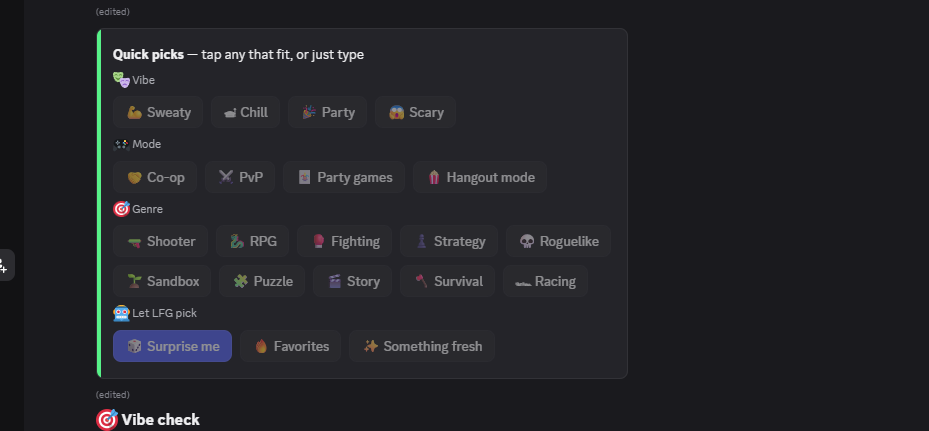
  • Vibe buttons in <1s the whole group clicks mood/genre while the library loads in the background. Multi-select: Chill AND Co-op AND Shooter together.
  • LFG Bot keeps the conversation moving it asks the right questions and surfaces game recommendations so the group always has something to react to.
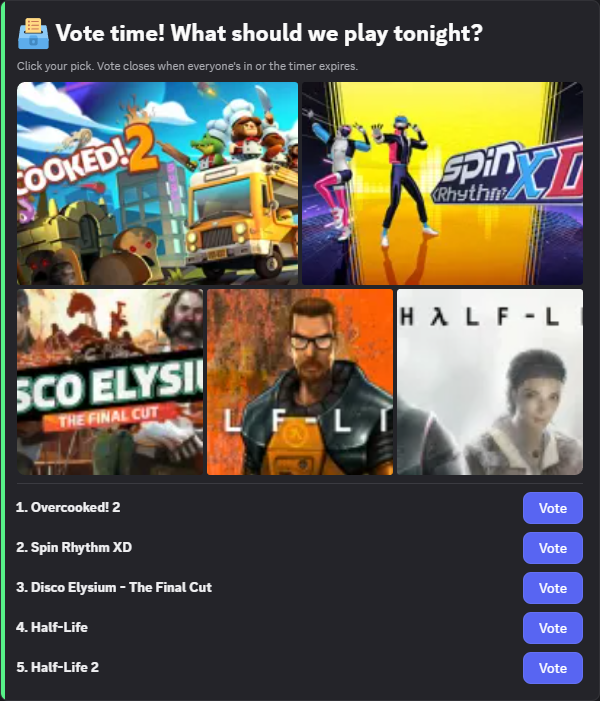
  • LFG Bot knows when to start voting once it has enough vibes, owned games, and group context to recommend games you'll all love, it stops asking and fires the poll automatically. No host calling time.
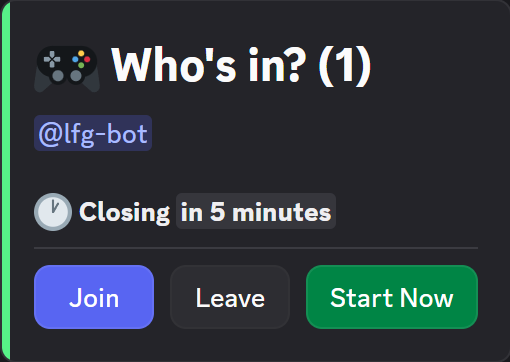
LFG Bot's vibe-check buttons rendered in a Discord channel just after /lfg-bot start
/screenshots/desktop/01-vibecheck-empty.png

2. Pick the game — Smart

No 'I don't own that.' No 'we just played this.' No dead multiplayer servers. Every recommendation actually fits your group, right now.

  • LFG Bot filters before it recommends reads every player's Steam library, then narrows down to games you all own, with the right player count, live multiplayer (no dead servers), and matching whatever the group's said it's in the mood for.
  • LFG Bot recommends games every recommendation matches the current vibe and comes with a caption explaining why this one fits. Add it to the vote, ask for more like it, or pass — the bot remembers and won't suggest it again.
  • LFG Bot asks the right questions when the group's signal isn't clear yet, it asks a clarifying question to sharpen what it's about to recommend. Not 'what do you want to play?' — specific, situational, only when it helps.
  • Need help deciding? 'Surprise me' picks something unexpected, 'Favorites' leans on your group's past wins, 'Something fresh' avoids what you've played recently.
A game-recommendation card with rationale caption explaining why this game fits the group
/screenshots/desktop/03-game-card-rationale.png

3. Build the lore — Yours

Most groups lose the best parts of game night between sessions — who carried, what landed, the running jokes. LFG Bot keeps all of it and brings it back when it fits.

  • A record of every game night every session, every game, every vibe tag, every MVP. All searchable, all shared.
  • Crown an MVP every session vote who carried. Per-game and server-wide standings.
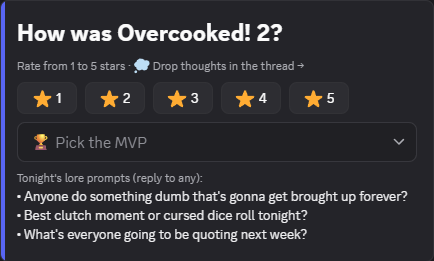
  • After the game, everyone shares feedback rate the session, see how others rated, and LFG Bot summarizes the chat into a one-line vibe tag like 'sweaty co-op' or 'casual roguelike.'
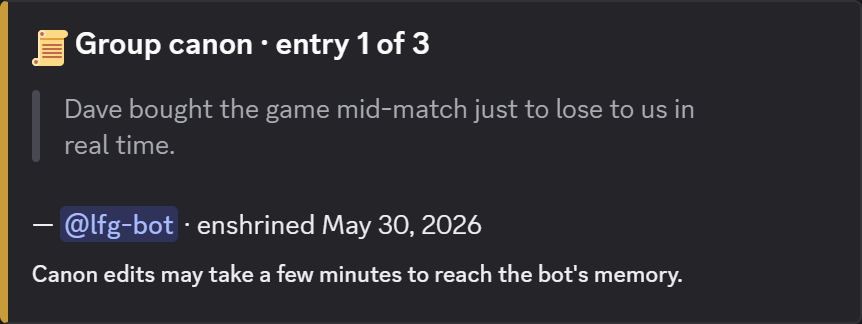
  • LFG Bot brings up your group's history references past sessions, MVPs, and inside jokes when they fit the moment. 'Last time you all played Hades, Sarah crashed in 10 min.'
Post-game feedback prompt with 5-star rating buttons and the MVP picker
/screenshots/desktop/06-feedback-prompt.png

LET'S FREAKING GO

5 steps from install to game night.

  1. Add LFG Bot to your Discord server
  2. Everyone links their Steam library with /lfg-bot link
  3. Type /lfg-bot start
  4. Everyone picks a vibe (mood/genre)
  5. LFG Bot recommends games you all own
Add to Discord

Why I built it

It started in 2020. My friends and I set up a weekly Discord game night to stay connected when no one was leaving the house. The group is mixed — different tastes, different levels of investment in gaming — and the slowest part of every night turned out to be finding something we all owned and were all in the mood for.

One night we ran out of patience before we ran out of options. We gave up and agreed to try again the next week. After enough of those nights, I built this.

LFG Bot is the answer to that one friction. It sees what your group actually owns, asks what you're all up for tonight, and walks the whole crew through the decision before anyone loses interest. It's the tool I wish we'd had back in 2020 — and if your group looks anything like mine, I hope it makes your next game night start in five minutes instead of forty-five.

— Will

FAQ

Is it free?
Yes. LFG Bot is free to add and free to use. Bootstrapped, no upsell yet.
Is it secure?
Only members of an active session can vote — outsiders in the channel can't swing the poll. The install asks for the minimum OAuth scopes needed to run slash commands and post messages.
What data does it use?
Three things: your Steam library (fetched from Steam's API after you link your account), your Discord identity (user ID + display name + your votes and clicks in sessions), and your group's session history. The session conversation goes through a third-party AI service to generate recommendations and the vibe tags you see in /history. Beyond that, nothing is sold or shared with anyone. Server admins can uninstall any time to stop all of it.
How do I uninstall?
Server Settings → Integrations → LFG Bot → Remove. The bot leaves the server immediately. Stored session history for that server stays in cold storage and can be deleted on request.
Open source?
No — LFG Bot is a closed-source product. The team focuses on the bot's UX over maintaining a public codebase.